30min pbt case study detail
30min personal body trainerAboutProject
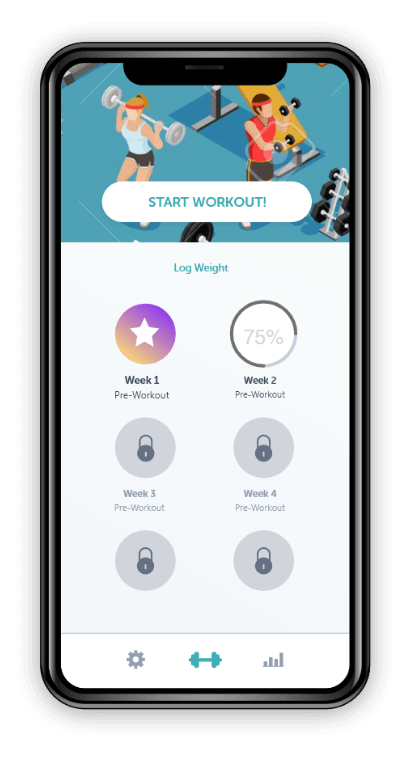
- Body Trainer Application is guiding users for weekly workout plans based on their body.
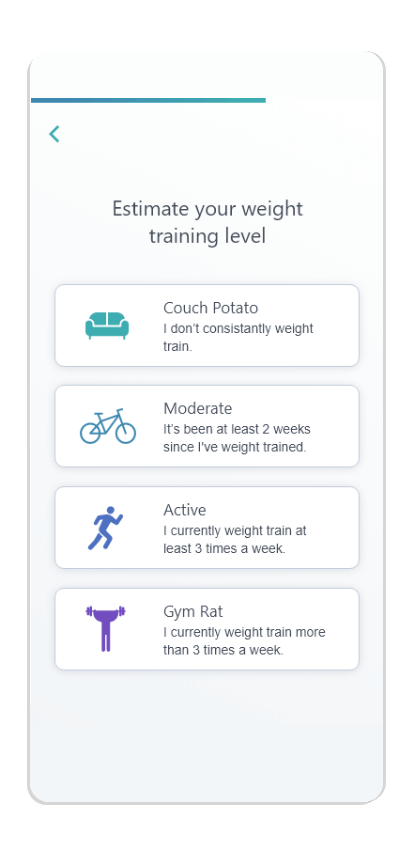
- Users can select a single or multiple option for the purpose of using the app and they get relevant workout plans.
- App Users can track their weekly plans and also medify their plans in between workouts.
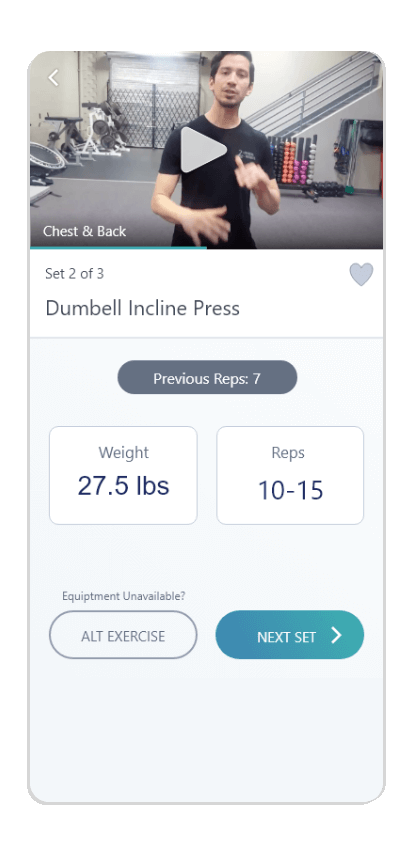
- Every workout has basic details and relevant video to guide the users on workout.
- Suggestion weights & number of raps are given on workouts so based on that users can do workout and after compilation users need to add some input for workout and suggestions will be displayed to the app.
- Res time is given after workout and during rest time users can see the advertisement on app.
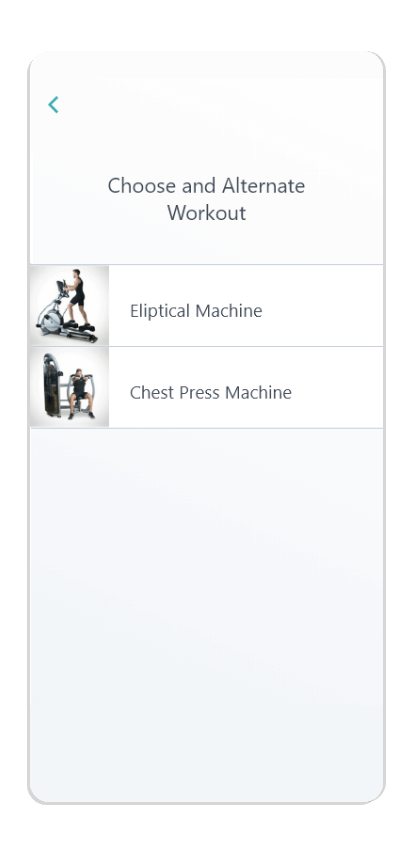
- There is an option called alternate workout so users can choose alternate workout options.
Challenges
01
Innovative and simple interaction
Creating an innovative fitness mobile app with simple interaction simultaneously is one of the creative challenges faced by our developers.
02Privacy and security for the data
At 21Twelve, our developers create fitness mobile apps with high encryption in such a way that, no data of the patient can be shared to anyone without the patient’s consent.
03Develop a mobile app with aesthetics
At 21Twelve, our developers always create prototype and beta version to test the fitness mobile app at different levels during its development stage to ensure quality and performance.
AppFeatures
-
01Authentication
- Users can register themself to the application and allow them to login.
- Users can reset their password by sending a link on email.
-
02Workout Plans
- Body Trainer contains the numbers of different workout plans for users to suggest relevant plans, Workout managed on a weekly basis.
- Day by day users can complete the workouts.
-
03Weight Manage
- Weights are shown on workouts as on given options.
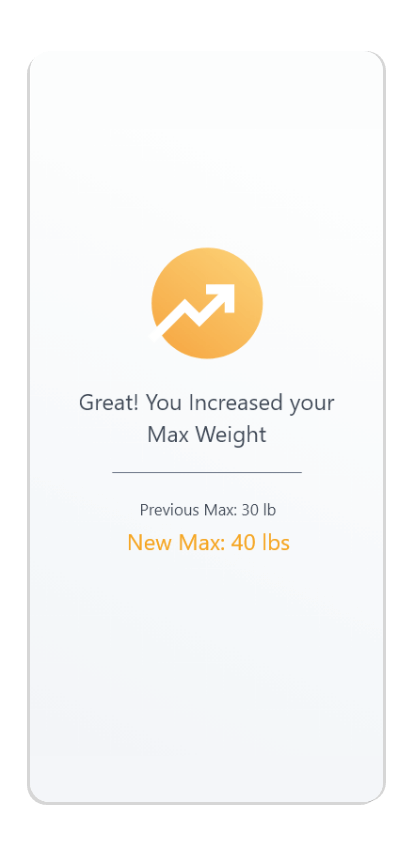
- Users are able to change weight on daily workout plans..
-
04Reps Manage
- Reps are added on set like 8-10 reps per set.
- Users can check different reps patterns in different workouts.
-
05Advertisement Module
- After workout there is rest time given so during that time advertisement will run.
- Users can check out advertisements during rest times.
-
06Setting Section
- Users can change personal details on the settings section.
- Users can manage their Fitness Goals.
-
07Measurement
- Users can manage measurement on the settings section.
- For Ex. Nick, Chest, Waist, Hips, Height etc…
-
08Chat Analysis
- Users can check their weekly weight lifting analysis on different charts.
- Increase of weight or decrease of weight both improvements are shown with chart analysis.
- 01If customer has no specific seating preferences, restaurant has the ability to assign a seating.
- 02If a customer takes too long, the restaurant can assign the table to the next person in the queue. If a customer doesn’t show, for a time set by the restaurant, auto-cancel.
- 03Control panel for restaurants to set their auto-cancelation timers.
- 04Control panel for restaurants to place customers in ‘white-list’ or ‘black-list’.
- 05Control panel for restaurants to send reminders to late customers.
- 06Ability to arrange seating plan (table icons) and ability to set the number of guests for each table.
- 07Ability to see a guest name or if booking by phone, to set it manually.
- 08Ability to see table status (if user is late/seated).
- 09Ability to see user history (previous bookings, past no shows, average spend, etc...)
- 10Ability to view bookings by time, by shift, etc...
- 11Ability to see bookings for all restaurants in real time centrally.
- 12Ability to set times/dates when bookings will be available.
- 13Ability to see VIP guests (frequent bookers/high spenders).
- 14Ability to see how long customers have been at the table.
- 15Ability to see and spend time in real time.
- 16Ability to see if walk-in or a reservation.
- 17Ability to set custom shifts (Breakfast/Lunch/Dinner/Brunch/etc..)
16Ability to see if walk-in or a reservation.
AdminFeatures
01Admin Login 03Subscription Plans
- You can log in to the admin panel of the Fitness app with an ID that will be known only to you.
- For your security and privacy of the admin panel, there will be multiple security checks.
- Available login options can be email ID, username,registered phone, or direct login with Google account.
- This panel will allows you to add or removing any personal information.
03Subscription Plans- Monitor's your user's subscription plan and update them with new exciting offers.
- The admin panel will enable you to view and update your user’s workout and diet plan from time to time, based on their Fitness goal.
- Here you can upload a set of exercise videos for your user. Also, you can edit or update the old videos based on relevancy.
VisualDesign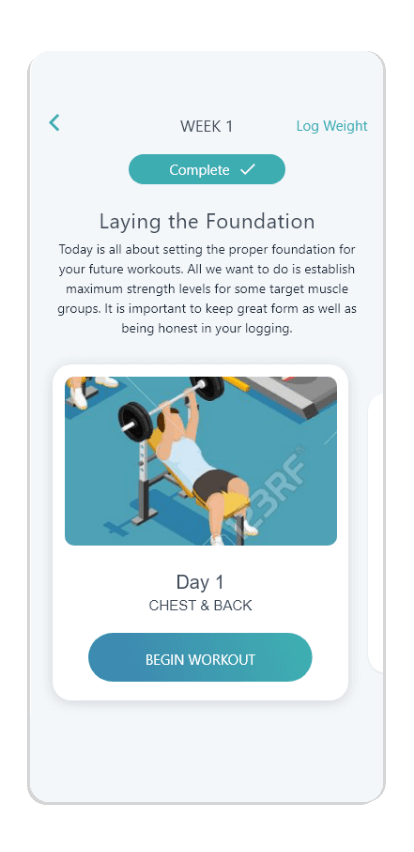


Time to be Social
Social Media
Don't Miss To Follow Us On Our Social Networks Accounts.